
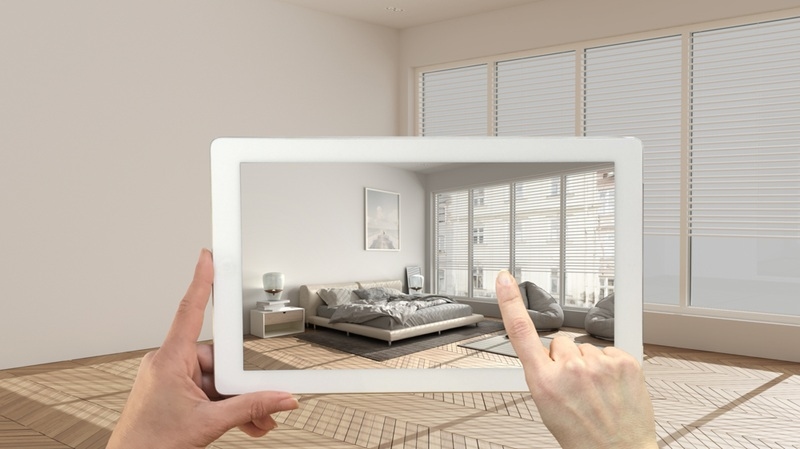
AI interior tools analyze a room photo, detect the walls and furniture scale, then generate layout and styling options based on known design patterns. Platforms such as DesignGPT.com rely on large design datasets and basic spatial recognition research used in computer vision and architecture planning. The results are not random. It is a fast draft that helps you make decisions before spending money.
This guide explains AI interior design for beginners using a practical workflow so you can plan a room you can actually build.
How to Use AI for Interior Design
Start with a simple rule. The tool is only as good as the information you give it.
1. Take a usable photo
Stand in the corner and capture floor-to-ceiling. Make sure the lighting is proper. Avoid clutter blocking walls.
Bad input produces unusable layouts.
Good input gives realistic placement suggestions.
This is always step one in how to use AI for interior design because the software measures visible proportions.
2. Choose a style with limits
When starting an AI home design tutorial, select one main style and one backup style.
Good combinations:
- modern + warm neutral
- japandi + minimal
- contemporary + cozy
Bad combination:
- industrial + farmhouse + luxury + boho
Too many instructions confuse the system. Beginners often think more detail improves results. In reality, it creates mixed furniture suggestions.
This is a key concept in AI interior design for beginners.
3. Generate multiple layouts
Now begin the AI room design step-by-step process.
Generate 3 to 5 versions. Then compare functionality instead of appearance.
Ask:
- Can the door open?
- Can you reach switches?
- Is walking space clear?
AI predicts aesthetics well, but does not know your daily movement habits. You finalize practicality.
Repeat this step in every AI home design tutorial until the layout feels livable.
Refining the Result Using Prompts
After selecting a layout, adjust the room with small instructions instead of restarting.
Examples:
- change sofa to smaller scale
- add closed storage
- Reduce dark colors
- make renter-friendly
Small edits work better than full regeneration. This is the most important part of how to use AI for interior design because it turns generic output into a personalized plan.
In most cases, three refinement cycles are enough for AI interior design for beginners.
Using Product Suggestions
Many tools include links or similar items. Treat this as a checklist, not a shopping order.
Follow this AI home decorator app guide:
- Save all recommended furniture
- Measure your room
- Replace items with local alternatives
Example:
If AI shows a 90-inch sofa but your wall fits 75 inches, match the style, not the size.
This keeps the design realistic and budget-friendly.
Repeat this approach every time you follow an AI home decorator app guide.
Turning the Design Into Reality
Use a build order. Do not buy decor first.
Phase 1 Structure
- main furniture
- rug placement
- circulation space
Phase 2 Visual Layer
- wall color
- lighting type
- curtains
Phase 3 Personality
- art
- cushions
- plants
This structure works with any AI room design step by step plan and prevents wasted purchases.
Common Mistakes Beginners Make
Typical problems in AI interior design for beginners:
- regenerating too many times
- copying exact furniture size
- ignoring storage needs
- buying items before final layout
Fix: finalize the layout before shopping. Every reliable AI home decorator app guide follows this principle.
When AI Is Enough and When It Is Not
AI works best for:
- rentals
- room refresh
- layout testing
You still need a professional for structural changes like wiring or plumbing. Even the best systems used in how to use AI for interior design are visual planning tools, not engineering software.
Final Takeaway
If you follow a structured workflow, AI becomes a decision tool rather than a decoration generator.
Process recap:
- clean photo
- limited style input
- layout comparison
- small refinements
- measured purchasing
That simple method is the practical answer to how to use AI for interior design. You save time, reduce bad purchases, and plan rooms with clarity instead of guesswork.